MacBook Pro Black Friday 2026: What to Skip
Read the chip, memory and display specifications before the discount badge.
A software engineer's MacBook Pro Black Friday 2026 guide to M3, M4, Pro and Max chips, unified memory, displays, older stock and the configurations worth buying.
Quick Summary
What to know first
A discounted M3 Pro or M4 Pro can be a strong development machine, but the exact chip, memory, display support and condition matter more than the discount badge.
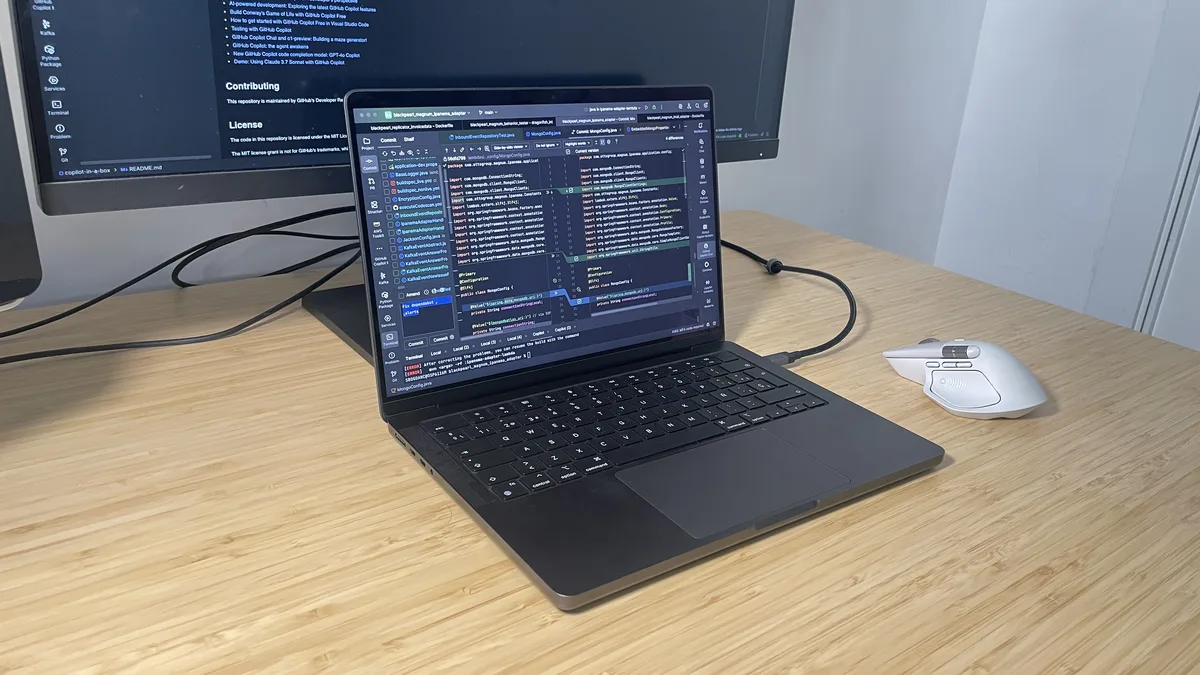
Black Friday listings put the discount in enormous type and the configuration in small print. With a MacBook Pro, that small print decides whether the deal suits your work.
I work on a 48GB MacBook Pro M4 Pro and also own a fanless MacBook Air. This guide combines that experience with Apple’s specifications; I have not tested every M3 and M4 configuration on sale.
Quick Verdict
- Light work: Start with a MacBook Air unless you need the Pro’s display, ports or active cooling.
- Heavier development: Compare discounted M3 Pro and M4 Pro models. I favor the M4 Pro with at least 24GB; an 18GB M3 Pro may suit a lighter setup if it is substantially cheaper.
- Base-chip Pro: Check the generation. M3 and M4 have different display and port capabilities.
- Max chip: Pay for its extra capacity only if your work will use it.
There are no live prices here. Judge the final price, configuration and condition together.
Why I Prefer the Pro
The Air is lovely when I want a lighter machine. But I will always be drawn to the Pro. I like its slightly bigger, bulkier shape, the way it feels in my hands and the way it looks on my desk. It feels built like a tank, and I find that reassuring rather than cumbersome.
For sustained work, I also value its screen, ports and active cooling. Its fans give it more thermal headroom, not unlimited performance. The extra weight and cost are real, though. My long-term M1 MacBook Air account explains why I still enjoy the Air; my M4 Pro review covers the desk setup I use now.
What I Would Skip
1. A Base M3 That Cannot Run Your Desk Setup
The 14-inch base M3 supports one external display with its own screen open, or two with the lid closed. It also has two Thunderbolt/USB 4 ports. If you need the laptop screen plus two external monitors, skip this configuration.
The base M4 is different: it supports two external displays alongside its built-in screen and has three Thunderbolt 4 ports. It can make sense if you want the Pro display and chassis without a Pro-tier chip. Compare its price with an Air and a discounted Pro-chip model. Apple’s M3 and M4 specifications show the difference.
2. Too Little Memory for the Work You Actually Do
Unified memory cannot be upgraded later. A cheap 8GB base M3 is a poor match for heavier work, whether that means my Docker containers and large IDE projects, editing high-resolution video with multiple effects, processing large RAW photo libraries, or working with complex CAD assemblies. When memory fills, macOS can compress data and use SSD swap, making those tasks less fluid.
24GB is not a minimum for everyone. A 16GB base M4 or an 18GB M3 Pro can suit lighter development, occasional video or photo edits, and modest CAD projects. Large RAW batches, layered files, video timelines, CAD assemblies and multitasking workloads benefit from more headroom. For my containers, IntelliJ IDEA, databases and browser tabs, 24GB is more comfortable; my 48GB M4 Pro gives me room to spare. Check the listing: the M3 Pro came with 18GB or 36GB, while the M4 Pro starts at 24GB.
3. A Max Chip You Have No Use For
I would not pay a large premium for an M3 Max or M4 Max just because its sale badge looks dramatic. Its extra GPU resources, memory options and display support suit local machine learning, complex 3D work or heavy video production, but rarely change ordinary code editing. This is a workload decision, not a claim that Max machines always run hot or have poor battery life.
The Configuration Map
These are 14-inch MacBook Pro starting configurations; custom orders and 16-inch models can differ. The display counts below assume the built-in screen remains in use.
| Chip | Starting memory | External displays | My buying view |
|---|---|---|---|
| M3 | 8GB | One with the lid open | 👎 Skip the 8GB model for heavier work; compare its price with newer options |
| M4 | 16GB | Up to two | 👍 Consider it when the display and ports justify the price |
| M3 ProOlder-model candidate | 18GB | Up to two | 👍 Consider it when the saving covers its age and exact memory capacity |
| M4 ProMy workhorse | 24GB | Up to two | 👍 My first pick for sustained, demanding work |
| M3 Max / M4 Max | 36GB | Up to four | Specialist choice: pay for it only when your GPU, memory or display needs justify the premium |
- Starting memory
- 8GB
- External displays
- One with the lid open
- My buying view
- 👎 Skip the 8GB model for heavier work; compare its price with newer options
- Starting memory
- 16GB
- External displays
- Up to two
- My buying view
- 👍 Consider it when the display and ports justify the price
- Starting memory
- 18GB
- External displays
- Up to two
- My buying view
- 👍 Consider it when the saving covers its age and exact memory capacity
- Starting memory
- 24GB
- External displays
- Up to two
- My buying view
- 👍 My first pick for sustained, demanding work
- Starting memory
- 36GB
- External displays
- Up to four
- My buying view
- Specialist choice: pay for it only when your GPU, memory or display needs justify the premium
The suffix is not a pass-or-fail test. An 18GB M3 Pro could be a better deal than a 24GB M4 Pro for one developer and a worse one for another. Price, workload and condition decide.
These are older models. Before calling one a Black Friday deal, compare its final price, memory, storage and warranty with a similarly configured current M5 MacBook Pro. An older machine needs a real saving, not just a large crossed-out price.
Before Checkout
I would confirm these details before paying:
- Exact chip name: M3, M4, M3 Pro, M4 Pro or Max. “MacBook Pro” alone does not tell you the silicon tier.
- Memory and storage: Neither can be upgraded later. A small SSD can fill quickly with development tools, project data and media.
- Displays and ports: Check the support and Thunderbolt generation for that exact model, rather than counting USB-C-shaped sockets in a photo.
- Condition and region: New, Apple Certified Refurbished, third-party refurbished and open-box are different offers. Check battery condition where relevant, keyboard layout, seller, return period and warranty.
- Real price gap: Compare the checkout total with a newer MacBook Pro of similar memory and storage. A three-year-old machine should not cost nearly the same as a comparable new one merely because its original list price was higher.
My Conclusion
Would I buy a MacBook Pro on Black Friday? Yes. My M4 Pro has earned its place on my desk, and I would happily consider a well-priced M3 Pro or M4 Pro again. But I would buy the configuration, not the discount. The right one should still fit your work when the sale is over.
If the Pro’s added capability does not answer a need you can name, my M3 MacBook Air Black Friday guide is the better place to start.
Official Technical References
FAQ
Common questions
Should I skip every base-chip MacBook Pro on Black Friday?
No. The 14-inch M3 MacBook Pro supports one external display with its lid open, while the 14-inch M4 model supports two. A base-chip Pro can suit someone who values its display, ports and active cooling at the right price. Check the exact generation and workload rather than rejecting the entire category.
Do I need 24GB of unified memory for coding, photography, or video editing?
Not necessarily. Sixteen or 18GB can be enough for lighter development, routine photo editing, and occasional video projects. Multiple Docker services, large RAW batches or layered files, and complex high-resolution video timelines benefit from 24GB or more. Unified memory cannot be upgraded later.
Is an M3 Pro MacBook Pro still worth buying in 2026?
Yes, if the exact memory, storage, battery condition and warranty suit your work and the final price is meaningfully below a comparable newer Pro-tier MacBook. The 14-inch M3 Pro starts at 18GB of unified memory, so do not assume every listing has 24GB.
When is a MacBook Pro Max chip worth paying for?
A Max chip makes more sense when your work benefits from its additional GPU resources, higher memory options or support for more external displays, such as demanding 3D, video or local machine-learning workloads. It is not a default upgrade for ordinary coding.